AI Music Video Maker - Rap AI
- 4.5
- Rating
- 100.00K
- Installs
- Free
- Price

 Analysis by App-foxy
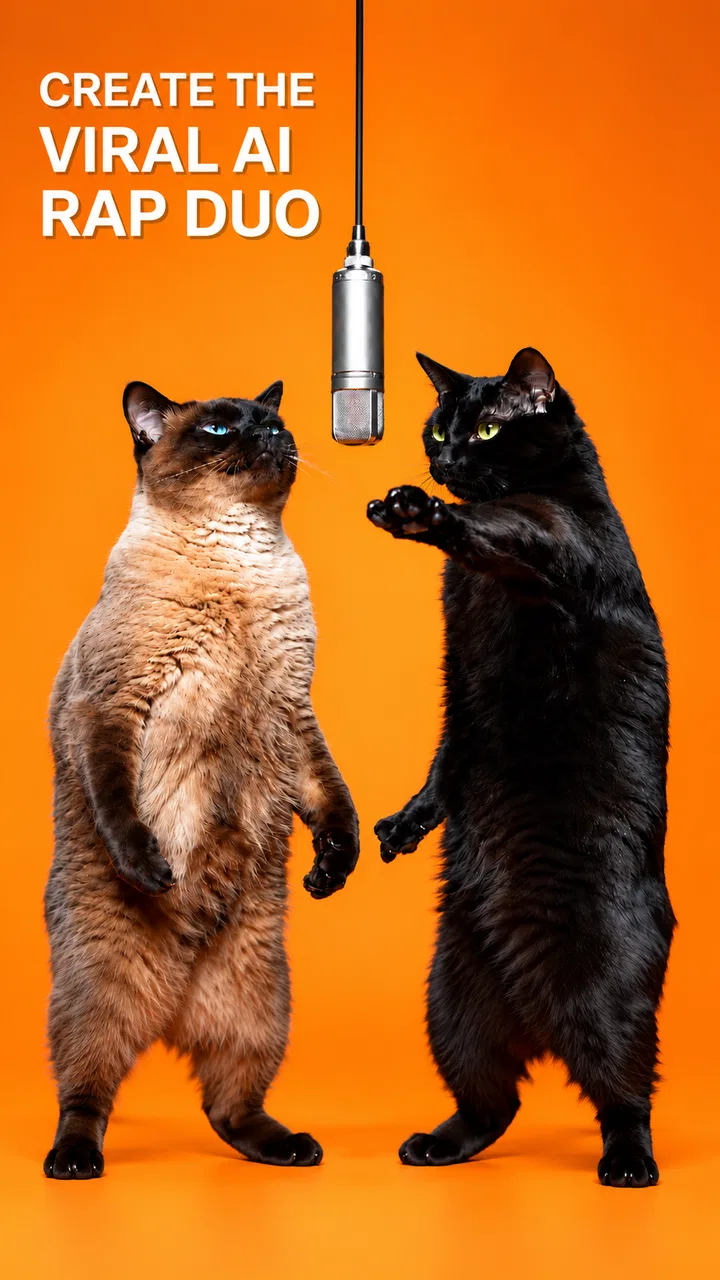
I approached AI Music Video Maker - Rap AI as an art and design app rather than as a complete music-production studio. Its appeal is straightforward: you can begin with text, audio, or video and turn that starting point into an AI-assisted music video. That makes it interesting for quick visual experiments, short social posts, concept sketches, and anyone who wants to explore rap-oriented ideas without learning a traditional editing suite first.
My overall impression is positive but measured. The app feels aimed at speed and imagination, not detailed manual control. It is free to install, carries an Everyone age rating, and comes from Mobobi LLC. The store listing presents it as an AI music maker powered by Sora 2 and Veo 3, so the main question is not whether it can replace a professional editor. For me, the more useful question is whether it gives a casual creator enough control to make something personal without creating unnecessary friction around uploads, payments, or account decisions.
The app has a 4.4 average from over 300 ratings and more than 50 thousand installs, which suggests that it has found an audience without being one of the huge, all-purpose editing platforms. I would recommend trying it when you want a fast visual result from an idea. I would be more cautious if you need frame-accurate editing, a dependable professional workflow, or clear control over every part of a finished production.
You May Also Like

 Blood Strike: 2.5 Anniversary
Blood Strike’s Loadouts Turn Every Drop Into a Tactical Gamble
A close look at Blood Strike’s custom loadouts: how fast access to signature weapons reshapes its battle royale rhythm, rewards preparation, and narrows the gap between fights.

 Pandora - Music & Podcasts
Pandora’s Music Is Easy to Start, but Harder to Recover
Pandora’s strength is its low-effort path from a seed to a station. Its weak spot is how much confidence it asks you to place in connection, setup, and quiet recovery.

 8 Ball Pool
 Is Built on Rivalries, Rematches, and Routine
A close look at the rivalries, rematches, shared routines, and unanswered safety questions that turn a quick pool match into a persistent mobile community.

 Samsung Music
’s Quiet Strength Is Playing What You Already Own
Its reach comes less from spectacle than from dependable access to a personal library. That simplicity is both the app’s strongest retention engine and its ceiling.

 AccuWeather: Weather Radar
AccuWeather Review: A Quick, Clear Forecast for Everyday Decisions
For everyday plans, the best forecast is the one you can understand quickly. AccuWeather makes rain timing, radar, and local conditions easy to act on, with a few trade-offs.

 Hill Climb Racing
Why Hill Climb Racing Still Turns Crashes Into One More Run
A tiny car, a bumpy hill and one more upgrade: Hill Climb Racing keeps resurfacing because its simple chaos makes every near-miss feel personal.
More From Our News Desk



What the app is really useful for
I find this app most useful when I need to turn a rough creative idea into something I can evaluate, rather than when I need a finished video on the first try. A practical habit is to keep a short note of the prompt and the one change I made between attempts; that makes experimentation more purposeful and helps me spot which direction is worth developing before I move to a more precise editor.
A quick route from an idea to a visual concept
The strongest use case is the gap between having an idea and having something you can show. A traditional music-video workflow asks you to gather clips, choose a soundtrack, edit timing, add effects, and export a coherent sequence. This app reduces that starting barrier by letting text, audio, or video become the foundation of the project. That is especially helpful when the goal is to test a mood rather than finish a polished commercial video.
For example, I can imagine using it after writing a short rap verse. Instead of searching through stock footage, I would describe the atmosphere I want, such as a night-time street performance with bold colors and quick movement, then use the result as a visual direction. Even if the first output is not ready to publish, it can reveal whether the concept feels energetic, dark, playful, or too crowded. That kind of visual brainstorming is where the app makes the most sense.
It also suits people who are uncomfortable with conventional editing timelines. The familiar alternatives in this category usually offer layers, trimming tools, transitions, captions, filters, and detailed audio controls. Those tools are valuable when you already know exactly how you want to build a scene. Here, the attraction is the opposite: you can start with a description or existing media and let the AI handle much of the visual interpretation.
Text, audio, and video each lead to a different workflow
Starting from text is the cleanest option for a completely new concept. It gives you a chance to describe the subject, setting, color, movement, and tone before you have any footage. The practical tip is to write prompts in layers rather than as a vague sentence. I would first describe the main subject, then the environment, then the visual style and movement. This makes it easier to understand which part of the idea needs changing when the result misses the mark.
Audio is more useful when the rhythm or vocal performance already matters. A beat, demo, or recorded idea can provide the emotional anchor while the visuals are developed around it. I would use this route for a rough song preview, a personal freestyle, or a short announcement where the sound is already the most important element. The trade-off is that an audio-led workflow may still need careful checking afterward: attractive imagery is not automatically well synchronized with every musical accent.
Video is the practical choice when you already have footage but want to reshape its presentation. It can help turn ordinary clips into something more stylized or concept-driven. I would not treat that as a guarantee that every original detail will remain intact. AI transformation is useful precisely because it changes the source, so anyone working with recognizable people, locations, or carefully staged actions should review the result closely before sharing it.
Where it differs from ordinary mobile editors
Apps such as standard mobile video editors are usually better when you want predictable results. You decide where a cut happens, how long a title stays visible, which clip comes next, and how the soundtrack lines up. Their learning curve can be steeper, but the relationship between an action and its result is clear. With an AI music-video tool, the result may be more imaginative, yet it can also be less consistent from one attempt to another.
That difference changes how I would use this app. I would not begin with the expectation of building a long, carefully choreographed video in one pass. I would create short concepts, compare variations, and keep the version that best communicates the idea. Then, if exact timing or continuity becomes important, I would move the chosen material into a conventional editor. This two-stage workflow is more realistic than asking an AI generator to replace every step.
A second useful distinction is effort. Traditional editing rewards patience and technical control. This app rewards clear creative direction and willingness to iterate. If you enjoy experimenting with several visual interpretations, it can feel liberating. If repeated generations feel wasteful or frustrating, a manual editor may be the better fit from the beginning.
Three practical techniques that improve the experience
First, I would keep the initial concept narrow. A prompt that asks for a performer, a crowd, a moving vehicle, changing weather, multiple locations, and several visual styles gives the system too many priorities. A focused scene is easier to judge and easier to revise. Once the central look works, I would expand the idea instead of trying to describe an entire video at once.
Second, I would treat the first result as a draft, not a verdict. The most useful workflow is to identify one failure at a time. If the mood is right but the composition is messy, revise the visual arrangement. If the scene looks good but feels too calm for rap, adjust the movement and energy. Changing everything at once makes it difficult to learn what actually improved the output.
Third, I would save the original audio and video separately before experimenting. That is simple but important. An AI transformation should be considered a new interpretation, not the only copy of a creative asset. Keeping the source gives you a safe fallback and lets you compare whether the generated version genuinely improves the idea.
Trust begins with what the app visibly lets you decide
For an AI app that can work from text, audio, and video, I pay close attention to the moments when personal material enters the workflow. A voice recording, an unreleased song, or a video containing other people deserves more care than a disposable text prompt. I would read the permission request shown by the phone and the app’s current privacy information before selecting sensitive media. I would also avoid uploading anything I do not have the right to use.
The important point is to separate visible user choice from assumptions. The app’s ability to accept media does not by itself tell me how that media is retained, processed, or shared. I would therefore look for the controls presented during selection, generation, saving, and account management, and I would make decisions based on those screens rather than guessing what happens behind them.
This is also where the app’s free label needs a little context. The download is free, but in-app purchases range from $2.99 to $19.99 per item. I would check the purchase screen carefully before confirming a generation or unlocking an option. A free starting point is welcome, but it does not mean every creative path is cost-free. For a casual user, that can affect how freely you experiment.
Account and payment choices deserve attention
Before committing to regular use, I would check whether the app asks for an account and what controls are available around that account. I would look for straightforward sign-in, sign-out, and purchase-management paths, as well as a clear way to understand what is saved locally or associated with the user. Those details matter more to me than a long feature list because they determine how easy it is to leave the service or change my mind.
I would also review the purchase confirmation carefully, especially if someone younger is using the app. The Everyone rating describes the intended content age, but it does not remove the need for adult supervision around purchases or uploaded material. A parent should make sure the device’s purchase controls are active and that a child understands not to submit another person’s recording or video without permission.
The current version is 1.5 and requires Android 7.0 or later. That makes compatibility reasonably broad for Android users, although I would still install it on the device where I plan to create rather than assuming an older phone will handle AI generation smoothly. The operating-system requirement tells me whether installation is possible; it does not promise identical speed or export behavior across every device.
Everyday scenarios where it earns a place
Imagine a small creator preparing a short teaser for a new track. They have a vocal demo and a rough visual idea but no budget or time for a full shoot. I would use the audio as the creative anchor, generate a few visual directions, and choose one concept for a short promotional clip. The app is valuable here because it helps turn an unfinished idea into something discussable with collaborators.
Another scenario is a student making a visual response to a poem or a school music project. Text input can help explore symbolism without requiring access to cameras, actors, or editing software. The student still needs to check the output for appropriateness and originality, but the barrier to making a visual presentation is lower than with a conventional production workflow.
A third scenario is personal experimentation. Someone learning about visual styles can compare a minimal performance setting with a more dramatic environment, then notice how changes in wording affect the result. That is a better reason to use the app than chasing a perfect one-click video. The learning comes from making deliberate changes and observing the difference.
Who should skip it
I would skip this app if my priority were exact control over cuts, captions, audio mixing, or continuity. A standard editor is more dependable for wedding videos, client work, tutorials, and any project where a particular moment must appear at a precise time. The AI approach may produce striking ideas, but it is not the same as having a timeline where every decision is under direct manual control.
I would also hesitate if I planned to upload confidential recordings or unreleased commercial material without first understanding the app’s current data and account controls. That is not a criticism unique to this product; it is a sensible boundary for any cloud-connected creative service. If the material is sensitive, I would choose a workflow whose storage and processing terms I have reviewed carefully.
Finally, people who dislike iteration may find the experience tiring. The app’s value depends on shaping an idea, reviewing the result, and refining the direction. If you want a predictable template with minimal surprises, a conventional template-based video maker may be more satisfying.
My cautious verdict
AI Music Video Maker - Rap AI is a compelling creative sketchbook for people who want to turn words, sound, or existing footage into an AI-assisted music-video concept. Mobobi LLC has positioned it in an accessible part of the art and design space: free to start, suitable for Everyone, and compatible with Android devices running version 7.0 or later. Its appeal comes from reducing the distance between an idea and a visual draft.
I would recommend it to casual creators, aspiring musicians, students, and social-media users who value experimentation more than perfect manual precision. I would use it in short, focused projects and keep original media backed up. I would also review every permission, account option, and purchase screen at the moment it appears, especially before submitting personal audio or video.
My reservation is simple: AI convenience can hide the amount of judgment still required. The app can help generate a direction, but I remain responsible for checking quality, rights, privacy, age-appropriate use, and whether the final result actually matches the music. With that realistic expectation, it is worth trying. Without it, the promise of instant music videos may feel more automatic than the creative process really is.
FAQs for AI Music Video Maker - Rap AI
01What is AI Music Video Maker - Rap AI?
AI Music Video Maker - Rap AI is an innovative app designed for both amateur and professional creators who want to produce high-quality music videos with ease. Utilizing AI technology, the app helps users craft impressive rap music videos by generating visuals that sync with the rhythm and lyrics of your music.
02How does AI Music Video Maker work?
The app leverages advanced AI algorithms to analyze your rap tracks and create dynamic video content that matches the beat and mood. Users can upload their music, and the AI generates relevant video clips, effects, and transitions, making the video creation process seamless and efficient.
03Is AI Music Video Maker free to use?
AI Music Video Maker offers a free version with basic features, allowing users to explore its capabilities. However, for access to premium features such as high-resolution video exports and additional effects, a subscription is required. The pricing details are available within the app.
04Can AI Music Video Maker be used offline?
AI Music Video Maker requires an internet connection to access its AI-powered features and media libraries. However, once your media is uploaded and the project is initiated, some editing functions might be available offline, depending on the app’s current version and updates.
05What are the device requirements for AI Music Video Maker?
The app is compatible with most modern Android and iOS devices. For optimal performance, a device running Android 8.0 or iOS 11.0 and above is recommended. Users should ensure sufficient storage space and memory to handle video processing tasks efficiently.
Pros
- Easy-to-use interface for quick video creation.
- Wide range of AI-generated music tracks.
- Customizable themes for unique video styles.
- Seamless sharing to social media platforms.
- No need for advanced video editing skills.
Cons
- Limited free features; in-app purchases needed.
- Occasional glitches in AI music syncing.
- Requires a stable internet connection.
- Video exports can be slow at times.
- Limited options for manual editing and tweaks.

AI Music Video Maker - Rap AI
Gallery